Home /
Zero Day Friday: Why Kernel Live Patching Makes Sense
Three kernel exploits in three weeks. Three reboots through a long runbook. That's what pushed me to set up KernelCare ePortal on my Chicago datacenter infrastructure. Getting it actually working required rolling back to an older kernel — here's how
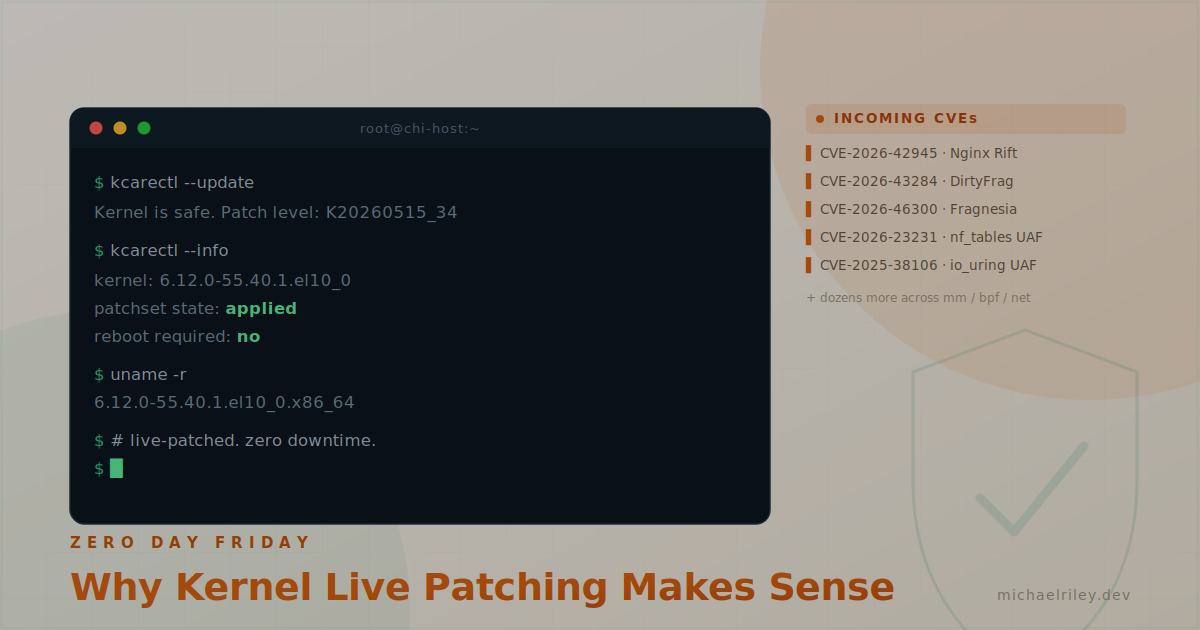
Zero Day Friday
The last three weeks have been rough if you're responsible for keeping Linux infrastructure secure. We've seen a significant spike in high-severity CVEs — local privilege escalation bugs, SSH exploits, and most recently a nasty one in Nginx itself: CVE-2026-42945, dubbed "Nginx Rift." It's a heap buffer overflow in ngx_http_rewrite_module triggered by crafted HTTP requests involving PCRE captures. CVSS 4.0 scores it at 9.2 Critical. On systems with ASLR disabled, it's not just a crash — it's potential remote code execution. That's a bad day for anyone running Nginx in production.
What's changed recently isn't just the volume of CVEs — it's where they're coming from. AI-assisted vulnerability research is accelerating the pace at which these exploits are found and disclosed. Security researchers are using LLMs to audit codebases at a scale and speed that wasn't practical before. The result is that the cadence of serious disclosures has picked up noticeably, and the window between disclosure and active exploitation is shrinking.
I manage critical infrastructure escalations for enterprise customers at Upsun as an Elite Cloud Support Engineer, where I've had a front-row seat to what it takes to keep infrastructure protected when the threat landscape moves this fast. Between seven years of Linux work, extensive experience across RHEL-based systems, and supporting everything from Postgres clusters to multi-region cloud deployments, I've developed a deep appreciation for tooling that lets you patch without rebooting. At Upsun, we've been dealing with this frequently enough that we've started calling Fridays "Zero Day Friday" — a dark twist on the industry's beloved "Deploy Friday" tradition that Upsun has championed. It's become that predictable.
To give you a sense of what this looks like in practice: just a couple of weeks before this post, Upsun had to respond to "DirtyFrag" — a pair of Linux kernel vulnerabilities, CVE-2026-43284 (IPsec ESP) and CVE-2026-43500 (RxRPC). Upsun wasn't affected by the RxRPC side since that module isn't compiled into their kernel, but CVE-2026-43284 required an emergency patch across all regions over the weekend. To protect customer data during the rollout, Upsun temporarily restricted SSH and deployment access and performed brief service restarts. As they noted in their post-incident communication, while the vulnerability "only" provided root access within affected systems, exploits like this are typically the first step in a chain — container escapes, broader infrastructure compromise, the works. Swift and decisive action was the right call, but it's exactly the kind of disruption that livepatching is designed to avoid.
Big shoutout to Garwood, Jose, Tomas, and Jules on Upsun's Security team for their work responding to that incident — that kind of rapid coordinated response under pressure doesn't happen by accident. And a special shoutout to Callum on the Support side, who was the Support IC throughout the incident. He kept communication clear, kept the team moving, and kept customers informed the whole way through. The rest of the Support team who worked the ticket queue during that window — thank you. That's the unglamorous part of incident response that doesn't get enough credit.
One important clarification before we get into the technical content: everything in this post regarding KernelCare ePortal is about my personal infrastructure hosted in a Chicago-based datacenter. Upsun does not use KernelCare. Their incident response and patching processes are their own — I just happen to work there and have seen firsthand what rapid kernel exploitation response looks like at scale.
That context is what led me down the rabbit hole this post is about: making sure KernelCare ePortal was actually doing its job — and discovering that to get full livepatch coverage, I needed to roll back to an older kernel that KernelCare had built patches for.
Why KernelCare Instead of Just Rebooting?
Fair question. The short answer is: my runbook for cleanly shutting down this machine is long. Between ZFS, Incus, OVN, and the services running on top of all of that, there's a specific order of operations to bring everything down safely, verify it, reboot, and then validate that everything came back up correctly. It's not a five-minute job.
What tipped me over the edge into setting up KernelCare was the three weeks leading up to this. Three separate kernel exploits. Three reboots. Each one requiring me to work through that runbook, wait, validate, and confirm the patch was in place. When you're doing that once a quarter it's an inconvenience. When you're doing it repeatedly in the span of a few weeks because AI-assisted researchers are finding critical vulnerabilities faster than ever, it stops being acceptable.
KernelCare eliminates that entirely. The livepatch is applied to the running kernel in memory — no reboot, no runbook, no downtime window. You confirm with kcarectl --info and move on. That's the whole value proposition, and it's worth the setup cost many times over when "Zero Day Friday" is threatening to replace "Deploy Friday" as your weekly tradition.
If you're running KernelCare ePortal in your environment, you may have run into a frustrating situation: your servers are on the latest Rocky Linux 10 kernel, but KernelCare's livepatch coverage hasn't caught up yet. The patches exist — they're just built against an older kernel version. This post walks through exactly how I handled that situation, including the pitfalls along the way.
The Problem
KernelCare ePortal develops livepatches for specific kernel versions. When a new kernel ships, it takes time for the KernelCare team to build and validate patches for it. If you're running a bleeding-edge kernel, you may find yourself with no livepatch coverage even though your ePortal is fully synced and operational.
In my case, I was running Rocky Linux 10.1 with kernel 6.12.0-124.x (el10_1 series). When I synced my ePortal, the latest available patchset was K20260515_34, and it had solid coverage — but it was built for 6.12.0-55.40.1.el10_0, not the kernel I was running. KernelCare was actively developing livepatches for the older el10_0 kernel series, covering a significant number of CVEs including:
- CVE-2026-43284 — xfrm/IPsec ESP in-place decrypt on shared skb frags ("DirtyFrag" — actively exploited)
- CVE-2026-46300 — net: skbuff shared-frag marker propagation ("Fragnesia" — related DirtyFrag bypass)
- CVE-2026-23231 — netfilter: nf_tables use-after-free in nf_tables_addchain() (critical for any host running OVN/OVS or container networking)
- CVE-2026-23270 — net/sched: act_ct restricted to clsact/ingress qdiscs (traffic control enforcement)
- CVE-2026-23204 — net/sched cls_u32: unsafe skb pointer access (networking stack)
- CVE-2026-23193 — iSCSI: use-after-free in session teardown (storage)
- CVE-2025-38106 — io_uring: use-after-free in sq->thread (high impact on server workloads)
- CVE-2025-40271 — fs/proc: use-after-free in proc_readdir_de() (local privilege escalation)
- CVE-2026-23097 — mm/migrate: lock ordering fix for hugetlb (relevant for Postgres with large pages)
- CVE-2026-31431 — crypto: algif_aead and authencesn out-of-place decryption (TLS/IPsec)
- And dozens more across memory management, BPF, and the broader networking stack
The solution was to roll back to 6.12.0-55.40.1.el10_0 so KernelCare could do its job.
Before you follow these steps, check patches.kernelcare.com first. That page lists every kernel version KernelCare currently has livepatch coverage for, along with CVE counts and the effective patch version. The kernel version I rolled back to was right for my environment at the time of writing — but it won't always be the right one for yours. Find your distro in that list, identify which kernel version has active coverage, and use that as your target version throughout this guide.
Finding the Packages
The current Rocky Linux mirrors only carry recent kernels. Older builds live in the vault. For Rocky Linux 10.0, the relevant paths are:
- BaseOS (kernel, kernel-core, kernel-modules, kernel-modules-core, kernel-modules-extra):
- kernel-devel (needed for DKMS):
Note that kernel-devel is not in the BaseOS or CRB paths for RL10 — it moved to the devel tree. I wasted time checking the CRB repo before finding it there.
The Stack to Consider
Before touching the kernel, think about what depends on it. In my environment that meant:
- ZFS via DKMS — OpenZFS builds kernel modules tied to a specific kernel version. No kernel-devel = no ZFS modules = no pool imports on boot.
- Open vSwitch — OVS uses the openvswitch.ko kernel module. DKMS handles it, same story. OVN sits on top of OVS and is purely userspace — it has no kernel module dependency of its own.
- Incus — Mostly userspace, doesn't care about the specific kernel version as long as cgroups v2, namespaces, and netfilter are present. No special action needed.
Installing the Target Kernel
Install the four core packages directly from the vault:
dnf install \
  https://dl.rockylinux.org/vault/rocky/10.0/BaseOS/x86_64/os/Packages/k/kernel-6.12.0-55.40.1.el10_0.x86_64.rpm \
  https://dl.rockylinux.org/vault/rocky/10.0/BaseOS/x86_64/os/Packages/k/kernel-core-6.12.0-55.40.1.el10_0.x86_64.rpm \
  https://dl.rockylinux.org/vault/rocky/10.0/BaseOS/x86_64/os/Packages/k/kernel-modules-6.12.0-55.40.1.el10_0.x86_64.rpm \
  https://dl.rockylinux.org/vault/rocky/10.0/BaseOS/x86_64/os/Packages/k/kernel-modules-core-6.12.0-55.40.1.el10_0.x86_64.rpm
Pitfall #1: DNF Removed My Running Kernel
This caught me off guard. Because DNF enforces an installonly limit on kernel packages, it removed the currently installed 124.x kernel to make room. I ended up with the new 55.40.1 kernel and two pre-existing 124.55.1 kernels (one with a .0.1 suffix) as fallbacks, plus the rescue kernel. Fortunately that left enough fallbacks to recover from if something went wrong — but the lesson is to check your installonly_limit in /etc/dnf/dnf.conf before doing this, and make sure you have fallback kernels available before proceeding.
Pitfall #2: Don't Reboot Yet
After installing the kernel packages, DKMS will attempt to build ZFS automatically but will fail because kernel-devel isn't installed yet. You'll see:
Error! Your kernel headers for kernel 6.12.0-55.40.1.el10_0.x86_64 cannot be found
at /lib/modules/6.12.0-55.40.1.el10_0.x86_64/build or .../source.
Install kernel-devel first:
dnf install \
  https://dl.rockylinux.org/vault/rocky/10.0/devel/x86_64/os/Packages/k/kernel-devel-6.12.0-55.40.1.el10_0.x86_64.rpm
Then manually trigger DKMS to build all modules for the new kernel before rebooting:
dkms autoinstall -k 6.12.0-55.40.1.el10_0.x86_64
dkms autoinstall -k 6.12.0-55.40.1.el10_0.x86_64
You should see ZFS (and any other DKMS modules) build and sign successfully. Verify:
dkms status
Look for installed status against 6.12.0-55.40.1.el10_0.x86_64 before continuing.
Confirming the Boot Configuration
Check that grub is set to boot the correct kernel:
grubby --default-kernel
If it's not pointing at vmlinuz-6.12.0-55.40.1.el10_0.x86_64, set it explicitly:
grubby --set-default /boot/vmlinuz-6.12.0-55.40.1.el10_0.x86_64
Then reboot and confirm:
uname -r
zpool status
systemctl status ovn-controller
Syncing KernelCare ePortal
Upon rebooting and entering the ePortal webUI, I found that it was not immediately updating the kernel version it was reporting internally, and thus was not applying the livepatches. I had to dig to find a command to manually trigger it. To update the patchsets I ran:
kc.eportal kcare update
kc.eportal kcare auto-update
Then to apply the patches, I used:
kcarectl --update
kcarectl --info
A note on ePortal CLI: the subcommand structure may not match what Tuxcare documentation shows depending on your version. If patch-sets doesn't work, use kcare as the subcommand and run --help to see what's available:
kc.eportal kcare --help
Locking the Kernel with Versionlock
With the kernel rolled back and livepatches applied, the last thing you want is a routine dnf update pulling in a newer kernel and breaking everything. Lock all kernel-related packages:
dnf versionlock add \
  kernel-0:6.12.0-55.40.1.el10_0.* \
  kernel-core-0:6.12.0-55.40.1.el10_0.* \
  kernel-modules-0:6.12.0-55.40.1.el10_0.* \
  kernel-modules-core-0:6.12.0-55.40.1.el10_0.* \
  kernel-modules-extra-0:6.12.0-55.40.1.el10_0.* \
  kernel-devel-0:6.12.0-55.40.1.el10_0.*
Also lock the kernel-adjacent packages that will otherwise try to update to the latest kernel version:
dnf versionlock add \
  kernel-headers \
  kernel-modules-extra-matched \
  kernel-tools \
  kernel-tools-libs
Pitfall #3: Double-Check Your Versionlock Entries
It's easy to end up with locks pointing at the wrong kernel version if you add them before confirming which version you're actually targeting. If you find yourself in this situation, clean it up completely and start fresh:
dnf versionlock delete kernel kernel-core kernel-modules kernel-modules-core kernel-devel kernel-modules-extra
Then re-add with the explicit version string as shown above. Verify the final state with:
dnf versionlock list
Every entry should reference 6.12.0-55.40.1.el10_0.
Watch for kernel-devel-matched
There's a meta-package called kernel-devel-matched that tries to keep kernel-devel in sync with whatever kernel DNF thinks is current. It will fight your versionlock. You might think to remove it, but don't — it carries DKMS as a weak dependency, and removing it will take DKMS with it. Since DKMS is what builds your ZFS and OVS modules, that's a non-starter. Lock it instead:
dnf versionlock add kernel-devel-matched
The End Result
After all of this, the system is running 6.12.0-55.40.1.el10_0 with:
- ZFS pools imported and healthy
- OVS/OVN operational
- Incus running normally
- KernelCare ePortal delivering livepatches covering dozens of CVEs that would otherwise require a reboot to patch
- DNF versionlock preventing any accidental kernel updates
The whole point of KernelCare is to avoid reboots for kernel security updates. If your kernel version is ahead of where KernelCare has patch coverage, you're not getting the benefit. Sometimes the right move is to step back to where the coverage is, lock it in place, and let the livepatch system do its job.
In a world where "Zero Day Friday" is threatening to become the new "Deploy Friday", and AI is accelerating the rate at which vulnerabilities are discovered and weaponized, having your livepatching infrastructure actually working isn't optional — it's the difference between a non-event and an incident.